A spreadsheet here means a wall of finds, not a file
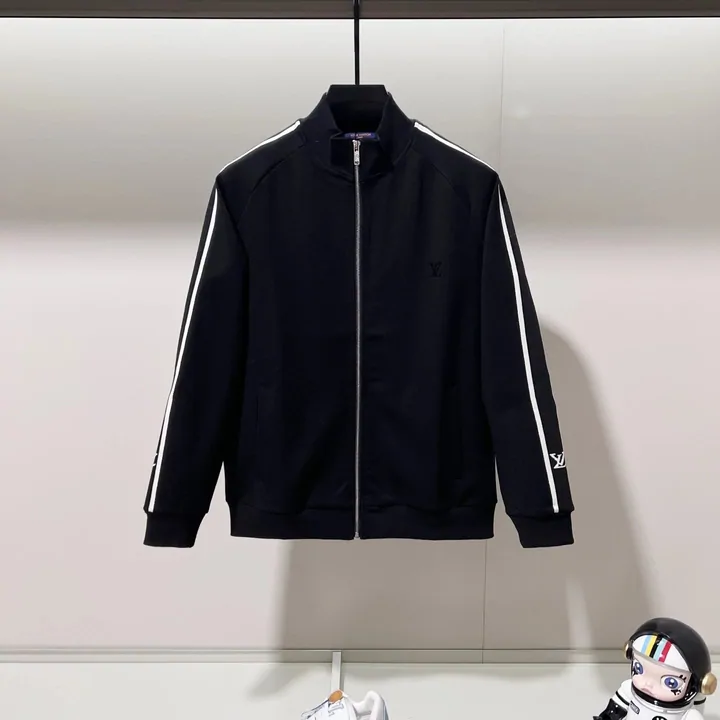
A HubbuyCN spreadsheet is a browsable catalogue of product finds. Each entry is a card carrying a photograph, a name, the marketplace it sits on, and one link to that listing. It is a website you scroll, not a file you download.
The word is a leftover. Years ago people really did swap files of links, and the habit named the thing. What survived is a display site: you land on a category, you scroll photographs, and each one carries a single link to the marketplace listing behind it.
So there is nothing to download, no tabs to open, no columns to interpret. If you can shop on any photo-led store page you already know how to use one. The catalogue behind these links holds more than 29,000 items across 68 category paths.
Item count is ours, counted from the catalogue sitemap on 10 October 2026: 29,352 item pages. Category paths from the same sitemap, 10 October 2026.
The same item, seen from the agent side
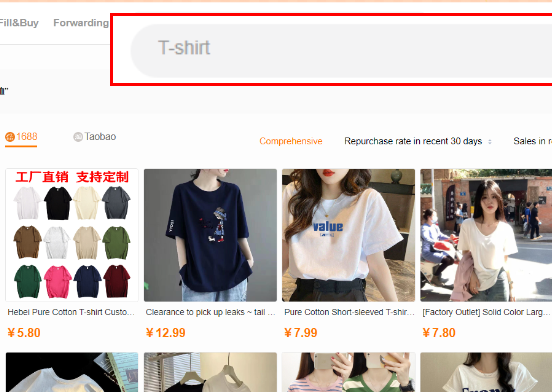
Once you take a link across, HubbuyCN shows you its own view of the same marketplace: cards, photographs, prices in your currency, filters for seller guarantees, and a switch between 1688 and Taobao sources. It is the same shape of browsing, which is why moving between the two feels like one process rather than two.

Reading a card
What each part of a card is telling you
Four pieces of information, and one of them decides everything that follows.
The photograph
Usually the seller own image. It tells you the shape and the general finish. It does not tell you the fabric weight or the smell of the dye, and it is not the photograph HubbuyCN will take later.
The name
Often a machine translation of a long Chinese title. Treat it as a search string rather than a product name, because that is what it is good for when you want to find the item again.
The marketplace badge
Taobao, Weidian or 1688. This one changes your advice: 1688 is wholesale, and its listings often carry a seller minimum order quantity. A price that looks impossibly good next to Taobao usually means you are being quoted for six of them.
The link out
One product page. That single address is the only thing HubbuyCN needs from you. A search results page or a shop front cannot be turned into an order.
How the browsing narrows
People who enjoy this do not scroll everything. They pick a category, shortlist three or four things, then spend their attention on the last step: comparing the sellers behind the listings they liked, since two sellers can list the same photograph and ship very different objects.
The agent only ever sees the final link. Everything before that is your own filtering, which is why the browsing side and the ordering side are separate sites.
Why a spreadsheet beats searching the marketplace yourself
You can search Taobao directly, and if you already know the exact product name in Chinese you probably should. The reason people browse a finds catalogue instead is that the search box is useless when you do not know what a thing is called, and machine-translated listing titles are close to unsearchable.
A catalogue is somebody having already done the naming. You recognise a photograph, and the link underneath it is the one that works.
It helps with
- Finding things you would never have searched for by name
- Seeing what a category looks like at a glance before you commit
- Getting a working marketplace link without reading Chinese
- Comparing several sellers of a similar item side by side
It cannot do
- Guarantee a listing is still live, since sellers delist without notice
- Promise the price you see today, which is the marketplace price and moves
- Tell you how something fits, which is what the measurement chart is for
- Replace the seller reviews on the listing itself
Two doors, and they do different jobs
Keep them straight and the rest of this is simple.
The controls
How to use the search, and the filters beside it
The box at the top takes plain words, and that is the fastest route when you can name the thing. Next to it is a small picture icon: that is search by image, and it is the one to reach for when you have a photograph from a group chat and no name at all.
Underneath sit the controls most people scroll straight past. A source switch flips the results between 1688 and Taobao, which matters because 1688 is wholesale and Taobao is retail: same object, different minimum quantity and often a different price. A column of service guarantee filters keeps only sellers offering free shipping, seven day no reason return, or dispatch inside 24 or 48 hours. And the price range box takes dollars, not yuan, which is worth knowing before you type 50 and wonder why everything disappears.
Use them in that order: find it, then narrow by how the seller behaves, then by price. Filtering on price first is how people end up with the cheapest seller rather than the one who ships.
Being honest about it
Why this site, and how the list is kept
Any list of finds is a snapshot of other people shops, and shops close. So the only interesting question about a spreadsheet is not how many items it claims to hold but what happens to it after it is published.
What we do differently is narrow and easy to check. The catalogue these tiles open is one we keep ourselves, so when a category stops returning listings we find out. Every number on this guide carries the official page it came from and the date we read it, which is how you tell a figure that is still true from one that merely used to be. Dead links are the failure mode nobody advertises, and the honest answer is that they happen here too; the difference is whether anyone is looking.
What we do not do is quote you prices. A price copied into a guide is wrong within a week and looks authoritative the whole time it is wrong.

What makes a useful spreadsheet, category by category
A shelf is only as good as its worst category, and that is the test almost nobody runs. Pick the category you actually came for, not the one on the front page, and open five listings in it.
Count the dead ones. One in five is ordinary; three in five means the list was built once and left. Then look at whether the category has any shape: a good one separates jackets from down jackets because they ship differently, a lazy one files both under outerwear and leaves you to find out at the weight stage. Then check whether anything on the page tells you when it was last touched, and whether that date refers to the listings or just to the footer.
Run those three here as well. We would rather you checked than took our word, and the categories page exists partly so you can.